Guest Transportation Report
The Guest Transportation Report allows users to track the transport information and requests. This report helps organize transportation requests to and from the guest’s location of arrival or departure.
Perform the following steps to generate the report:
Navigate to Reports ➜ Dynamic Reports ➜ Guests/Reservations ➜ Guest Transportation.
Refer to the following table and fill in the fields.
|
Field |
Description |
|---|---|
|
Report Name |
Guest Transportation |
|
Property |
Displays the current property name by default. |
|
Start Date |
|
|
End Date |
|
|
Transport Type |
This is a multi-select drop-down list that displays all the transport types configured at the property. |
|
Transport For |
This is a multi-select drop-down list that displays the following options:
|
|
Reservation Status |
This is a multi-select drop-down list that displays the following options:
|
|
Transport Status |
This is a multi-select drop-down list that displays the following options:
|
Click Run to generate the report.
Click Save to save the report under User Favorites section.
Sample Report
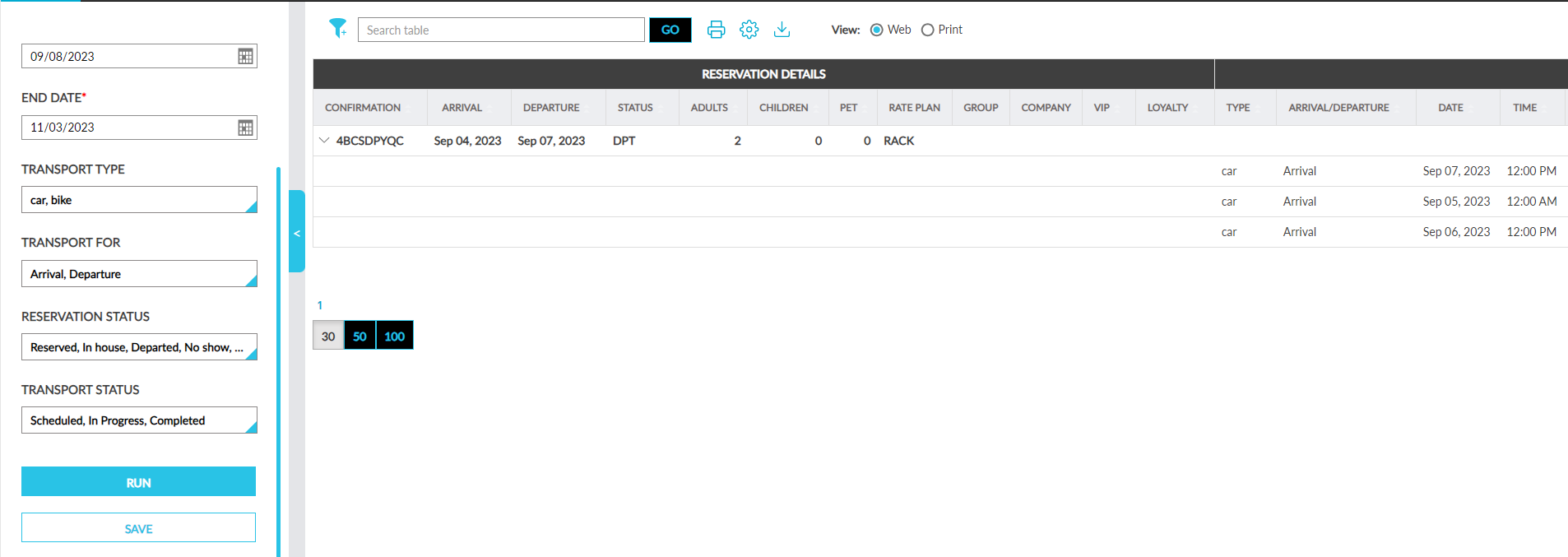
Report Fields
This report displays the following fields:
|
Field |
Description |
|---|---|
|
Reservation Details |
|
|
Confirmation |
Displays the confirmation ID of the reservations. |
|
Third-Party Confirmation |
The third-party confirmation number for the reservation if applicable. |
|
Guest Name |
Displays the guest name associated with the reservations. |
|
Arrival |
Displays the arrival date of the reservations. |
|
Departure |
Displays the departure date of the reservations. |
|
Status |
Displays the status of the reservations. Users can filter records using this column. |
|
Adults |
Display the number of adults in a reservation. |
|
Children |
Displays the number of children in a reservation. |
|
Pet |
Displays the number of pets in a reservation. |
|
Rate Plan |
Displays the code of the rate plan associated with the first night of stay of a reservation. Users can filter records using this column. |
|
Group |
Displays the name of the group associated with a reservation. This field is left blank if no group is associated with a reservation. Users can filter records using this column. |
|
Company |
Displays the name of the company associated with a reservation. This field is left blank if no company is associated with a reservation. Users can filter records using this column. |
|
VIP |
Displays the VIP status associated with a reservation. Users can filter records using this column. |
|
Loyalty |
Displays the name(s) of the loyalty program(s) associated with a reservation. Users can filter records using this column. |
|
Transportation Details |
|
|
Type |
Displays the type of transport requested by the guest. Users can filter records using this column. |
|
Arrival/Departure |
Displays if the transport was requested for arrival or departure. |
|
Date |
Displays the date when the transport was requested. |
|
Time |
Displays the time when the transport was requested. |
|
Pick Up Address |
Displays the pickup address provided by the guests. Users can filter records using this column. |
|
Drop Address |
Displays the drop address provided by the guests. Users can filter records using this column. |
|
Charge |
Displays the price charged for each transport request. |
|
Charge Modified |
Displays the modified price of each transport request. |
|
Modified By |
Displays the username of the user who modified the charge. |
|
User |
Displays the username of the user who created the transport request. |
|
Status |
Displays the status of the transport request. Users can filter records using this column. |